Documentation

    The Predara field manual.

    Every screen, every score, every setting — explained. The complete reference for sales leaders, RevOps and admins running Predara on top of their CRM.

    ▸ SECTION 01

    Getting started

    Create an account, start your 7-day free trial and get to your first pipeline insight in under five minutes.

    Create your Predara account

    Head to app.predara.com/login and sign up with your work email. Passwords must be at least 12 characters long and include a special character. Your 7-day free trial begins automatically — no card required.

    Onboarding tour

    On first login Predara runs a Welcome Tour and a Spotlight Tour that highlight the key surfaces of the dashboard. You can replay either tour at any time from your account menu.

    • Welcome Tour — quick overview of what Predara does
    • Spotlight Tour — guided walk-through of the live dashboard
    • Onboarding checklist — pinned to the top of your dashboard until complete

    What you'll see first

    Once your CRM is connected and the first sync completes, your dashboard populates with executive signals, a pipeline funnel, deal health scores and forecast weather. Most teams reach this state within a few minutes of authorising the integration.

    In the app

    Look for the Onboarding Checklist on the top right of your dashboard — it tracks the four steps to getting full value from Predara.

    ▸ SECTION 02

    Connecting your CRM

    Predara connects to your CRM in read-only mode using secure OAuth. We never write back to your records.

    Supported CRMs

    HubSpot is fully supported today, with Salesforce on the immediate roadmap. Each connection is authorised through your CRM's standard OAuth flow — credentials never touch Predara.

    Authorising the connection

    From the dashboard, click "Connect Your First CRM", choose your CRM type and give the connection a name. You'll be redirected to your CRM to approve read-only access, then bounced back to Predara to run your first sync.

    • Read-only access — no records are created or modified
    • Encrypted in transit and at rest
    • Disconnect at any time from Account → Integrations

    Re-syncing and re-authorising

    If your CRM admin rotates credentials or revokes the integration, Predara surfaces a banner prompting you to re-authorise. Manual syncs can be triggered from the dashboard at any time using "Sync Changes".

    ▸ SECTION 03

    The dashboard

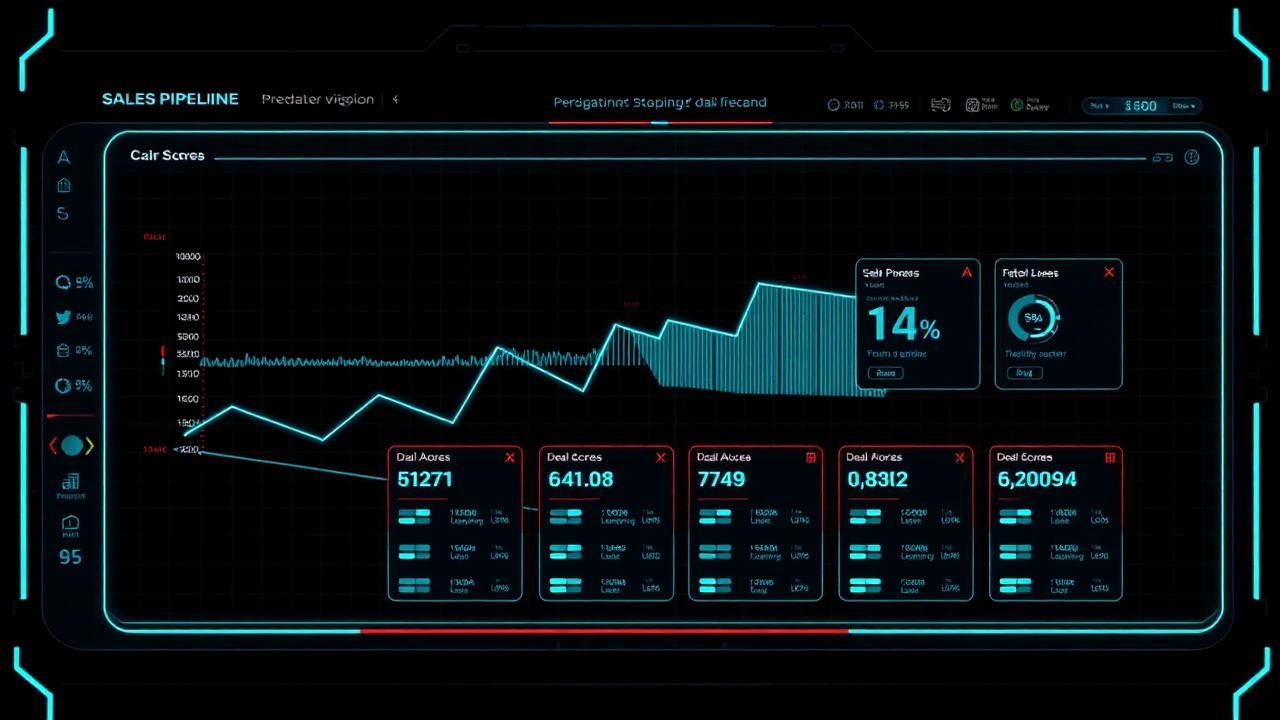
    The dashboard is your command centre — a single screen showing executive signals, pipeline shape, forecast confidence and the deals that need your attention now.

    Predator-vision dashboard with pipeline funnel and deal health cards

    Executive Signals

    Top-level KPIs designed for sales leaders and execs — pipeline coverage, weighted forecast, momentum, and signal alerts. These sit at the top of the dashboard so you can scan them in seconds.

    Forecast & Revenue Weather

    Predara summarises your quarter as a weather pattern — sunny, mixed, stormy — backed by the Revenue Forecast chart and confidence band. The metaphor makes pipeline health legible to non-sales stakeholders.

    • Revenue Forecast — projected close per period
    • Revenue Weather — qualitative confidence read
    • Sticky metrics bar — keeps the headline numbers visible as you scroll

    Pipeline & deal views

    Drill into the Pipeline Funnel, Deal Health Heatmap, Deals at Risk, Top Deals, New Deals This Month, Won Deals, Lost Deals and Win/Loss Analysis. Each card supports a date-range filter and clicking through opens a deal-level view.

    Pro tip

    Use the date-range filter at the top of the dashboard to compare current period vs. previous period — the deltas appear next to each KPI.

    ▸ SECTION 04

    Deal AI Health Score

    Every deal in your pipeline gets a single, defensible Health Score — a 0-100 read on how likely it is to close based on six weighted signals.

    Six radial signal meters representing Predara's Deal AI Health Score inputs

    The six signals

    Predara's scoring model evaluates a combination of behavioural and structural signals to produce one composite score. Each signal can be inspected on the deal detail view.

    • Activity — call, email and meeting cadence
    • Engagement — buyer-side response and recency
    • Stage progression — time-in-stage vs. baseline
    • Timeline credibility — close-date realism
    • Momentum — directional change over the last 14 days
    • Historical patterns — your own win/loss base rates

    Reading the score

    Scores are colour-coded across the dashboard — high-confidence wins, neutral, and at-risk. The Deals at Risk and Momentum Alerts cards surface the deals that have moved meaningfully since the last sync.

    Custom scoring preferences

    Under Account → Scoring Preferences you can adjust how aggressively the model weights certain signals (for example, weighting timeline credibility higher in long enterprise cycles). Changes take effect on the next sync.

    ▸ SECTION 05

    ICP analysis

    Predara analyses your closed-won history to identify your real Ideal Customer Profile, then scores live deals against it.

    How ICP fit is calculated

    Predara reads firmographic and behavioural patterns from your historical wins and surfaces the attributes that meaningfully predict close — industry, size band, region, deal size, sales cycle length and engagement profile.

    ICP insights on the dashboard

    The ICP Insights card highlights deals in your active pipeline that match your strongest historical patterns, and flags deals that look unlike anything you've ever closed.

    • ICP-fit deals — prioritise these for executive sponsorship
    • Off-ICP deals — qualify hard or de-prioritise
    • ICP drift — alerts when your incoming pipeline moves away from your historical ICP

    Acting on the analysis

    Use ICP findings to refine outbound targeting, sharpen qualification criteria, and brief marketing on the segments your sales motion actually closes — not the ones it wishes it could.

    ▸ SECTION 06

    Insights Lab

    The Insights Lab is your custom analytics workspace — build any chart you need from your CRM data without writing SQL.

    Holographic chart-builder lab with multiple custom data panels

    Chart Builder

    Pick a metric, a dimension and a chart type. The Lab generates the chart instantly and lets you save it to your library, drop it into a presentation, or pin it to your dashboard.

    • Line, bar, area, stacked and donut chart types
    • Group by stage, owner, source, industry, size, time
    • Saved charts persist across sessions

    Drill-downs

    Every chart supports drill-down — click a bar or segment to see the underlying deals. Drill-downs respect the dashboard's date filter and can be opened straight from the executive summary cards.

    Sharing charts

    Charts saved in the Lab can be embedded in Sales Decks (see section 08), shared via a read-only Shared View link, or exported as images for reporting.

    ▸ SECTION 07

    Sales coaching

    Coaching workspace for sales managers — rep-level performance, custom playbooks and one-to-one prep.

    Rep performance

    Drill into individual rep dashboards to see pipeline health, win rate, average deal size, sales cycle, momentum and at-risk deal load. All metrics derive from the same scoring engine that powers the main dashboard.

    Custom playbooks

    Build playbooks tailored to your sales motion — qualification frameworks, stage-exit criteria, multi-thread plays, executive-sponsor plays. Playbooks can be assigned per stage so reps see the right one at the right moment.

    • Reusable across the team
    • Versioned — past meeting prep stays accurate
    • Linkable from inside Sales Decks

    1:1 preparation

    Open a rep's view before a one-to-one to get an instant readout of which deals to coach on, which signals are off, and which playbook moves to recommend.

    ▸ SECTION 08

    Sales Deck

    Generate live, data-backed presentations for board updates, rep reviews and sales team meetings — without copy-pasting screenshots.

    Meeting types

    Pick a template based on the audience — Board update, Rep review or Sales team meeting. Each template is pre-wired to pull the right slides, charts and commentary from your live data.

    Embedding live charts

    Drop any chart from the Insights Lab straight into a slide. The chart re-renders against the latest sync every time the deck is opened — there are no stale numbers in a Predara deck.

    • Embedded Insights Lab charts
    • Deal drill-down slides
    • Auto-updating commentary

    Brand customisation

    Use the Brand Customiser to set logo, accent colours and footer copy. Saved presentations live in your library and can be re-opened, duplicated or shared via a Shared View link.

    ▸ SECTION 09

    Sharing & collaboration

    Bring stakeholders into the loop without giving them logins — Predara generates secure, read-only shared views.

    Shared views

    Any dashboard, chart or deck can be exposed via a Shared View link. Recipients see a live, read-only version that respects your scoring preferences and date filters but cannot edit anything.

    Share Deal Confidence

    From any deal detail view, generate a clean confidence summary to send to a buyer or internal exec — score, signal breakdown and next-best action.

    • Tokenised links (revocable at any time)
    • Optional expiry on the share token
    • No account required for the recipient

    Saved presentations

    All generated decks land in your Saved Presentations library, sortable by meeting type and date. Decks remain interactive — recipients can drill into any chart inside a Shared View.

    ▸ SECTION 10

    Account & settings

    Everything you need to manage your account, your data and your team's experience inside Predara.

    Profile & security

    From the Account page you can update your name, change your password (12+ characters with a special character), and review active CRM connections.

    Scoring preferences

    Tune how the Health Score model weights each of the six signals. Useful when your sales motion has unusually long cycles, very high deal volumes, or strict champion-led qualification.

    Data retention & deletion

    Choose how long Predara retains synced CRM data, or delete your account entirely. Deletion is irreversible and removes all derived insights, saved charts and presentations.

    • Configurable retention windows
    • One-click CRM disconnect
    • GDPR-aligned data deletion
    ▸ SECTION 11

    Affiliates programme

    Earn recurring commission for sales leaders, agencies and creators who refer Predara to their network.

    How it works

    Apply via the Affiliates page in-app. Once approved you'll get a unique referral link and a dashboard tracking clicks, sign-ups, conversions and payouts.

    Affiliate resources

    Approved partners get access to a resource library — logos, screenshots, copy snippets, email templates and short explainer assets ready to share.

    • Co-brandable assets
    • Pre-written launch posts
    • Performance dashboard

    Payouts

    Commission is paid monthly against verified, retained subscriptions. Full terms are documented in the Affiliates section of the app.

    ▸ SECTION 12

    Security & data handling

    Predara is built for sales leaders who need pipeline truth without compromising data control.

    HUD-style shield emblem representing Predara security and data protection

    Read-only by design

    Predara only reads from your CRM. We never create, update or delete records. Disconnecting the integration revokes access immediately.

    Encryption & infrastructure

    All data is encrypted in transit (TLS 1.2+) and at rest. Authentication uses standard OAuth flows; secrets are stored in managed secret stores, never in client code or logs.

    • TLS 1.2+ in transit
    • Encryption at rest
    • OAuth-only CRM authentication

    Data ownership

    Your CRM data is yours. Predara processes it to generate insights inside the platform and does not sell, rent or share it with third parties. Full detail lives on the Trust and Privacy pages.

    Read more

    Visit /trust for the full security posture, sub-processor list and incident response policy.

    ▸ SECTION 13

    Troubleshooting & support

    Quick fixes for the most common issues, and how to reach the team when you need a human.

    Sync issues

    If your dashboard looks stale, trigger a manual sync from the top bar. If the sync fails repeatedly, your CRM credentials may need re-authorising — Predara will surface a banner with a one-click fix.

    Missing deals or pipelines

    Predara only sees what your CRM exposes via the integration scopes you approved. If pipelines or deals are missing, check that they are visible to the user account that authorised the integration.

    • Re-authorise with broader scopes if needed
    • Confirm pipeline visibility in your CRM
    • Run a manual Sync Changes

    Contacting support

    For anything else, reach the team via the Contact page on this site or the in-app help menu. Most enquiries get a response within one business day.

    Ready to see it in your own pipeline?

    Connect your CRM in under a minute and let Predara do the rest. 7 days free, no card required.

    Begin 7-day free trial